
Desktop app
Drag, paste, copy. Your gallery, cloud storage manager, and image processing live in the same window.
Desktop guide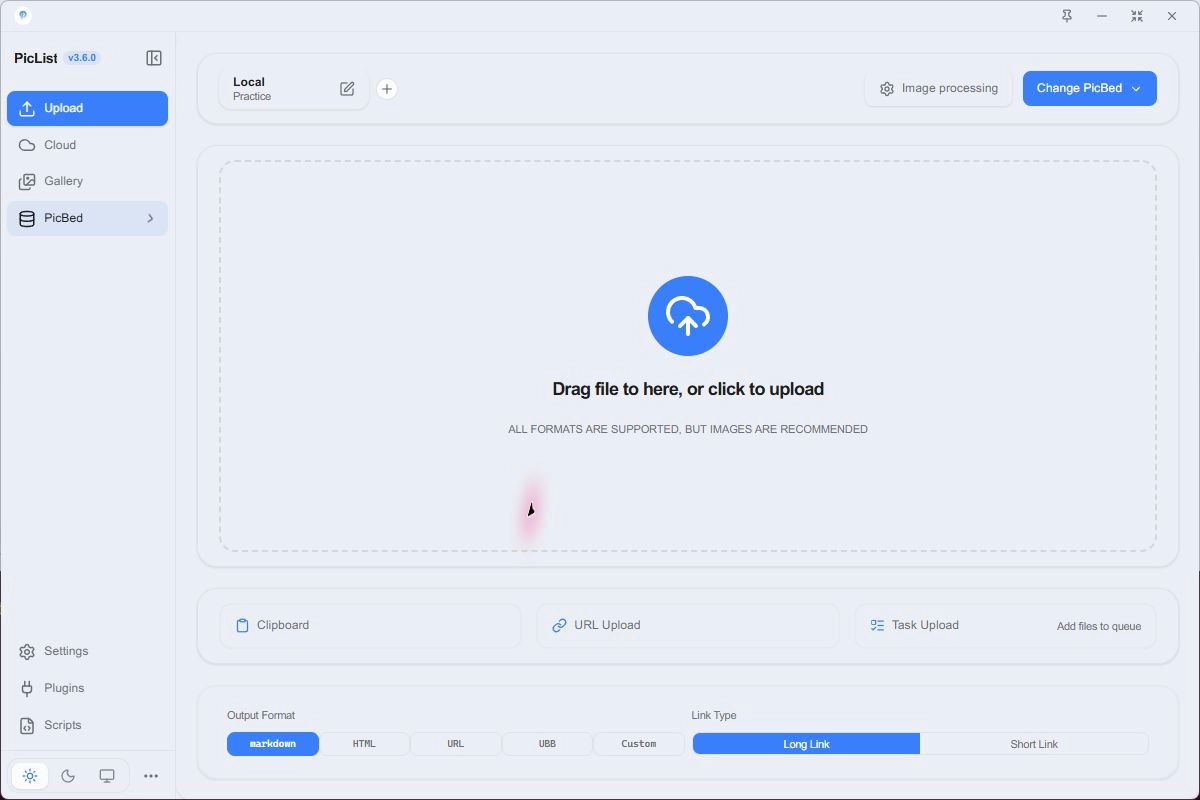
PicList uploads screenshots and files to the storage you already use, processes images on the way, and copies the link in the format your editor expects.
Version 3.6.1 is out. See what changed
Drop an image here
paste a screenshot, or
Uploaded to Cloudflare R2: 
This is a preview. Your file stays in this browser and is not uploaded anywhere.
Drag, paste, copy. Your gallery, cloud storage manager, and image processing live in the same window.
Desktop guideThe same upload engine for terminals, servers, and Docker.
# Install on Node.js 22.13+
npm install -g piclist
# Choose a destination
picgo init
# Upload an image
picgo upload ./hello.pngUpload from where you write, or build your own workflow.
PicHoro, the mobile companion , uploads from your phone. Scan the configuration QR code in PicList to bring your destinations along.